Find the sound.
Drop it in
HM 01 · a focused library browser for Ableton Live
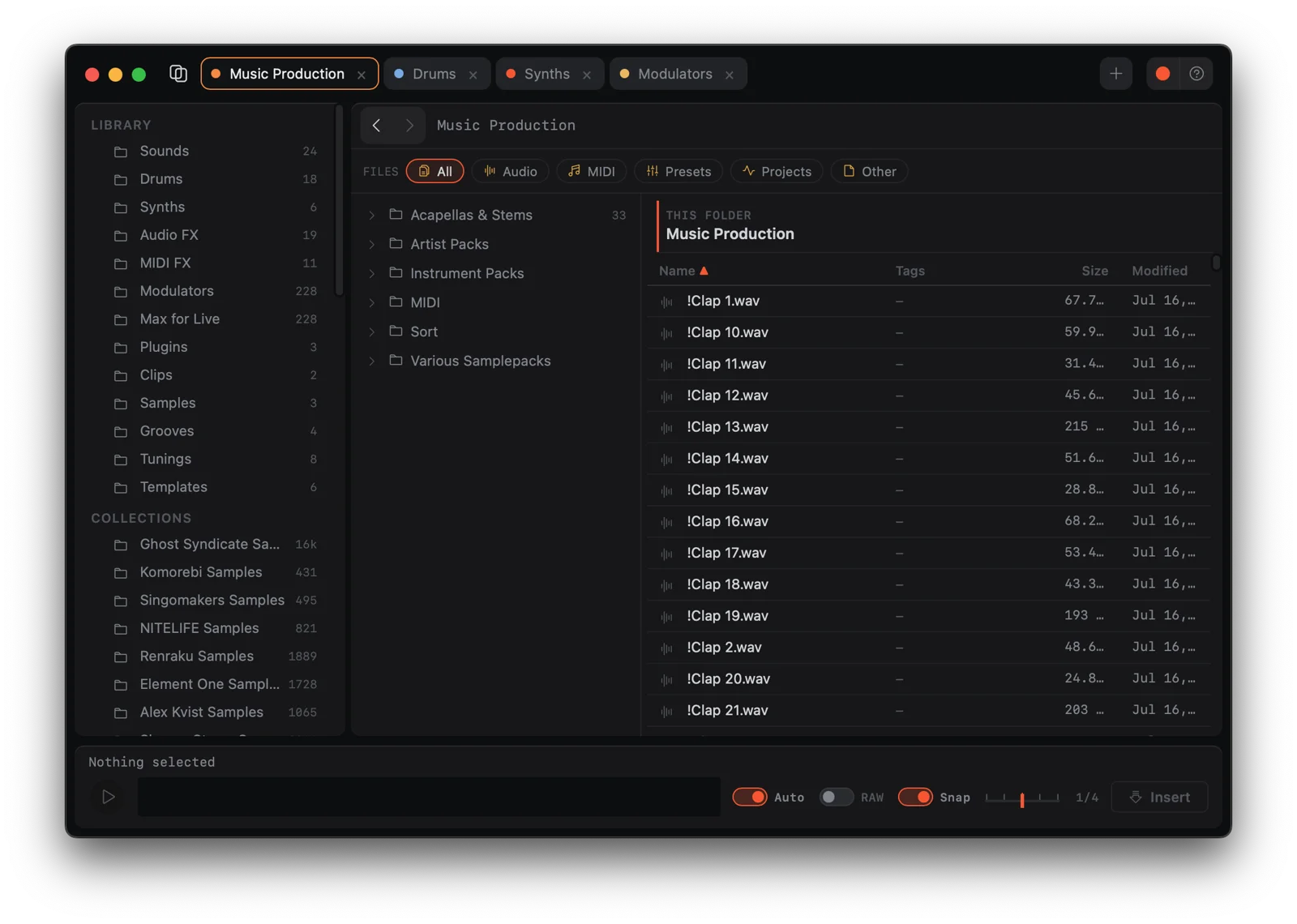
You know the sound you want. It's in there — somewhere in forty gigs of kicks, textures, and field recordings. But Live's browser was built for browsing, not for finding. So you scroll, and scroll, and the idea leaves before the sound arrives.
HM 01 is the browser we built for ourselves: the folders you live in, pinned as workspaces. Selection plays the file instantly. One button inserts it at the playhead — on your track, or a new one when it can't be. Three moves, no scrolling, idea intact.
It reads Live's index — read-only, never writes — and speaks to Live through one thin Remote Script. Your set stays exactly as safe as it was.
Find it.
Place it.
HM 01 keeps the useful parts of a browser close to the music: a few pinned places, a fast preview, and one clear way back into the arrangement.
Built for the way
you actually browse.
Pinned workspaces
Several folders open at once, each with its own tab and history. Switch in a keystroke — ⌘1 through ⌘9.
Instant previews
Select and it plays. Decoded in-app, loopable, raw toggle for unwarped listening. No spinner, ever.
Insert at playhead
Enter inserts on the selected track; ⇧Enter creates a fresh audio track named after the sample. Snap to grid included.
Native drags
Drag onto Session, Arrangement, Simpler, Sampler or Drum Rack. Real file URLs — exactly what Live expects.
Live tag search
Search Live 12's full tag index with #tag filters. Tag your own samples the way Live writes them.
Full keyboard control
Arrows to move, Space to preview, Enter to insert and return to Live. Hands on the keys, not the mouse.
Read everything.
Write nothing risky.
HM 01 never writes to Live's database. A read-only connection to Live's SQLite index gives it Places, packs and tags — everything Live already knows. Previews decode locally, and every insert goes through one tiny Remote Script that waits politely when Live is busy or locked.
Native macOS app. Apple Silicon. Opens fast, searches fast, stays out of the way.
Get HM 01
$25one-time
- ✓Lifetime updates
- ✓Pinned workspaces, instant previews, insert at playhead
- ✓Runs alongside Ableton Live 12, read-only
Secure checkout via Lemon Squeezy · Instant download
Requirements
- Operating system
- macOS 14+ (Apple Silicon)
- Ableton Live
- Live 12 (Suite / Standard / Intro)
- Live integration
- Remote Script, bundled installer
- Connection
- Loopback TCP · Live-side only
Formats
- Audio preview
- WAV · AIFF · MP3 · FLAC
- Insert targets
- Audio tracks · new track on demand
- Drag & drop
- Session · Arrangement · devices
- Tag search
- Live 12 index · #tag filters